Where your people hang out.
Vybe brings your friends and communities together: spaces and channels, crystal-clear voice, HD video, and screen sharing up to 4K at 120fps. Open it in your browser and you're in.
nothing to install · desktop apps for Windows, macOS and Linux · works on your phone
moved the whole group over to vybe last night
how painful was that
made a space, sent one invite link. everyone was in before dinner
come to lounge, I'll stream the factorio base
ok this share is stupidly sharp. what is this, 1440p?
4k. open the connection inspector if you don't believe me
Sound and video you can actually tune.
Most chat apps give you one volume slider and a codec you never see. Vybe hands you the controls. When a stream stutters, the connection inspector shows you what is happening on the wire, so you fix it instead of guessing at it.
- codec
- VP9 or hardware H.264, chosen per stream
- resolution
- from 540p up to 4K, at up to 120fps
- bitrate
- set it yourself, reset to auto anytime
- volume
- 0 to 200%, per person and per screen share
- noise
- RNNoise suppression scrubs the keyboard clatter
- inspector
- live bitrate, codec, ping, packet loss, jitter
all of it works in the browser. the desktop app adds global push-to-talk and system audio in screen shares.
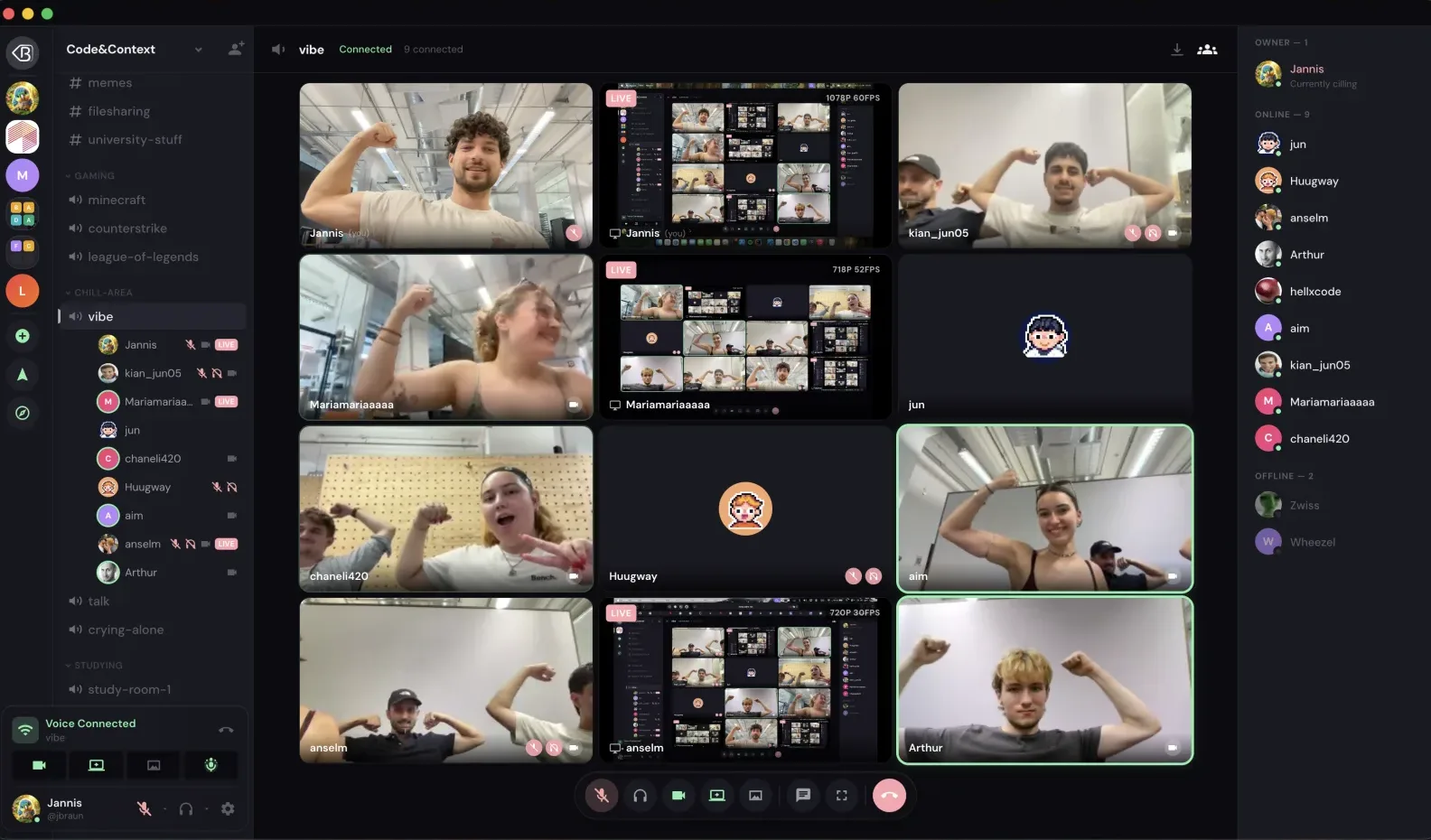
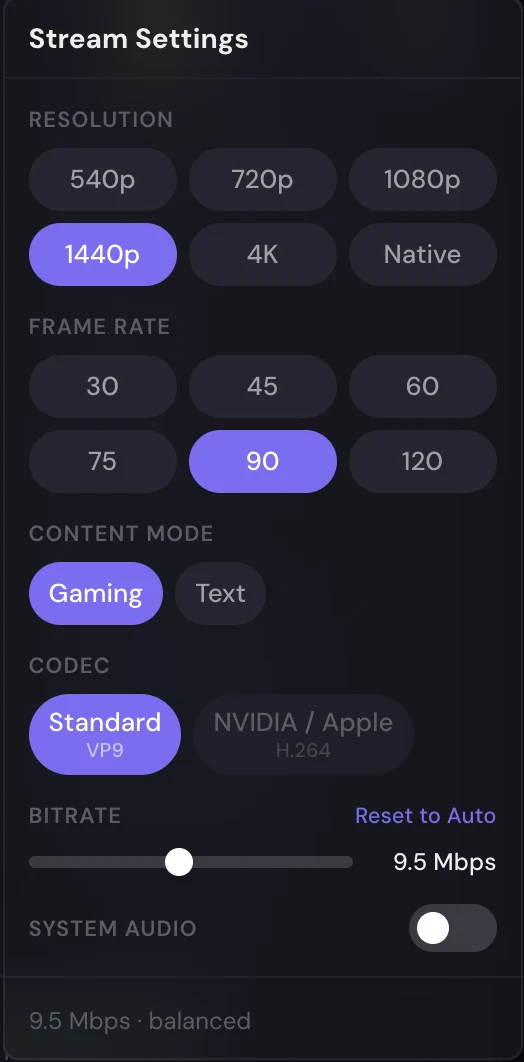
real screenshots: a nine-person call, and the per-stream settings panel.
Everything a community needs.
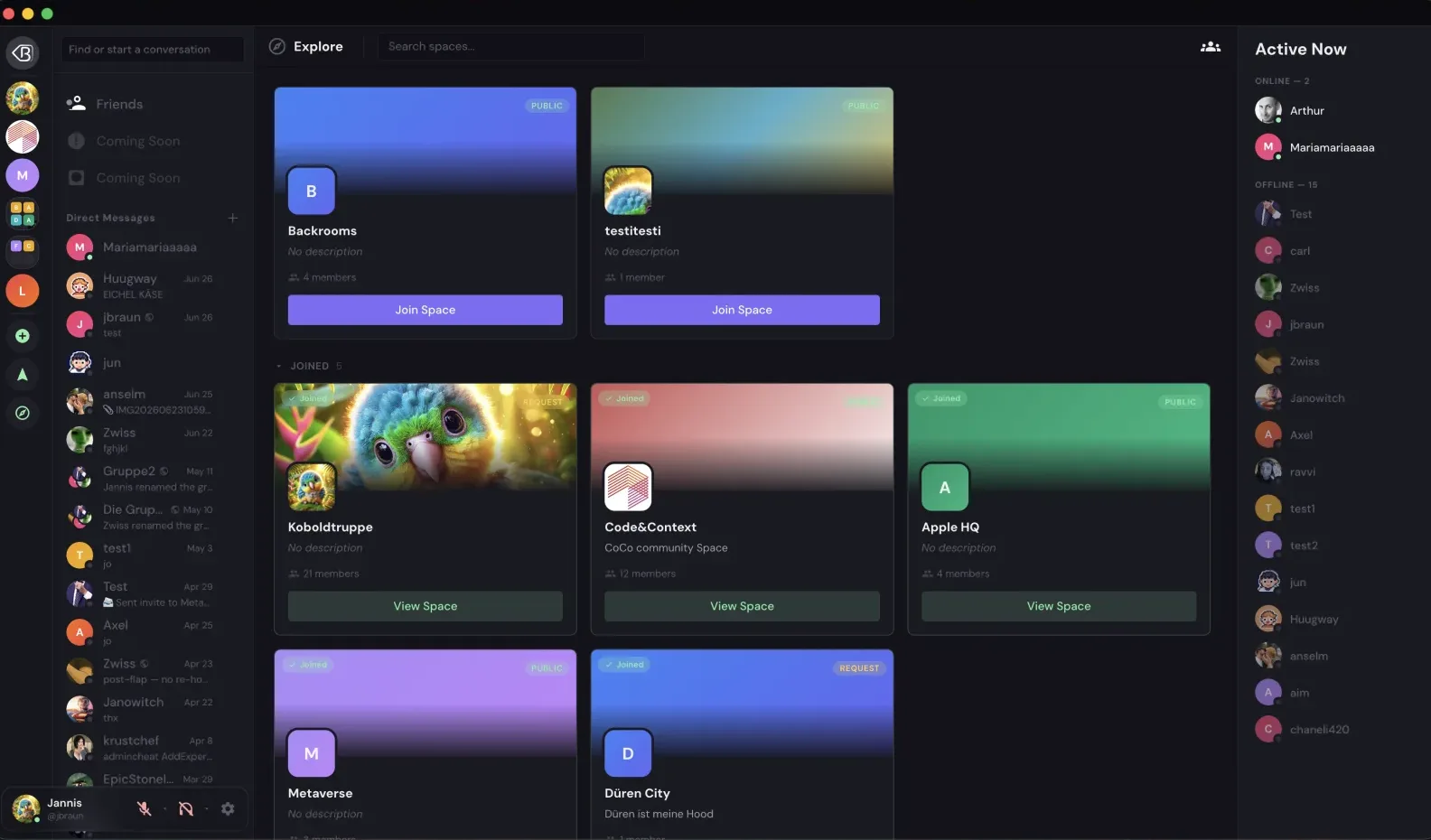
explore: public, request-to-join and private spaces.
Bring your bots along.
Vybe has a full bot platform. Create an application, give it a bot account, and install it into a space or onto your own profile. If you have written a Discord bot before, the shapes will feel familiar.
- commands
- slash, user and message commands, with options and autocomplete
- components
- buttons, selects and modals, ephemeral and deferred replies
- gateway
- real-time events, filtered by the intents you ask for
- webhooks
- Discord-compatible, plus Slack- and GitHub-style endpoints
On every screen you use.
One account, the same spaces and the same conversations, wherever you pick it up.
Desktop
Windows, macOS and Linux, with global push-to-talk, game activity and automatic updates.
Download the appPhone
Open Vybe in your phone's browser and add it to your home screen for a full-screen app.
Open on your phoneQuestions people actually ask.
What is Vybe?
A place for friends and communities to talk. You create or join spaces, each with its own text channels, voice channels, roles and members, and talk in text, voice, video or screen share.
Do I need to download anything?
No. Vybe runs in your browser at chat.vybeapp.ir. The desktop app for Windows, macOS and Linux adds global push-to-talk, game activity and automatic updates, and on a phone you can add Vybe to your home screen.
How good is the screen sharing?
Up to 4K at 120fps, with per-stream codec, bitrate and resolution controls, RNNoise noise suppression, and a live connection inspector that shows bitrate, ping, packet loss and jitter.
How do I start a community?
Create an account, make a space, and share its invite link. A space can be public, request-to-join, or private, and roles decide who can see and do what in every channel.
Can I bring my bots?
Yes. The developer portal at dev.vybeapp.ir creates applications with bot accounts. Bots get slash, user and message commands, buttons, selects, modals and a real-time gateway, and channels accept Discord-compatible webhooks.
Your people are one invite away.
Make a space, send the link, and start hanging out.